How to Trade in Grow a Garden
Learning how to trade in Grow a Garden is the moment the game’s economy opens up: fruit you grew and pets you hatched become currency for anything another player owns. This guide covers the mechanics from your first trade window to value checking like a veteran. Price every offer in our trade calculator before you tap accept.
Pet theft myths cleared: can you steal pets in Grow a Garden (plus Tanuki / hunger). Unfavorite locks: how to unfavorite pets and fruit.
Chat codes decoded: Grow a Garden trading abbreviations (TS, WFL, LF, NFT, 5T). Also how to gift seeds (spoiler: inventory seeds do not gift).
Unlocking Trading and the Trade Window
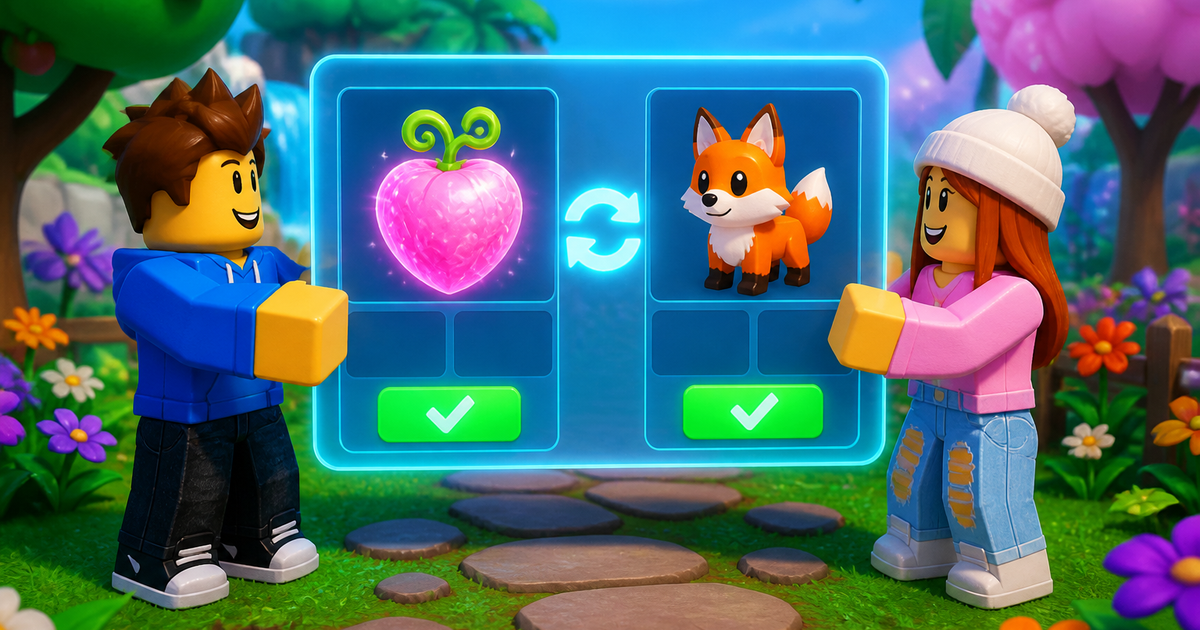
Trading runs through the official in game trade window, opened by approaching another player and sending a trade request. Roblox account settings matter here: younger account settings can restrict social features, and both players need the trade UI available. Once a request is accepted, both sides place items into the window slots, review, and confirm. Nothing leaves your inventory until both players confirm the final screen, which is exactly why the window exists, everything else, gifting first, paying in Robux, or trading through Discord strangers, is where scams live.
Before your first trade, read our trading safety guide, it covers the scam patterns the window protects you from.
What Can Be Traded
| Item type | Tradeable | Notes |
|---|---|---|
| Harvested fruit | Yes | Mutations and weight carry with the fruit |
| Pets | Yes | Age and weight carry, both drive price |
| Seeds | Limited | Depends on current patch rules, verify in game |
| Sheckles | No | Currency does not move between accounts |
| Event currencies | No | Choc Coins, Honey Coins and Ember are account bound |
Because currency cannot move, every trade is barter. That is why fruit with big mutation stacks and rare pets function as the game’s real money, and why knowing their value matters more than anything else on this page.
Price the offer before you tap Accept
Mechanics get you into the trade window. Values keep you from funding someone else’s garden. Before every Accept, run the full sheet through the Grow a Garden trade calculator for a Win / Fair / Loss read. Learn the labels in the WFL guide, then confirm pets on the pet value list. Verified September 19, 2026.
Your First Trade, Step by Step
- Decide what you are offering and what you want back before opening the window.
- Price both sides: fruit through the crop value calculator and pets through the pet value list.
- Send the request, place items, and take your time on the review screen.
- Screenshot the final window before confirming, proof protects both sides.
- Confirm only when the window shows exactly what was agreed, item swaps at the last second are the oldest scam in Roblox.
Fruit Trades vs Pet Trades
Fruit trades are about the stack: a Candy Blossom with Shocked and a heavy weight is worth more than most pets, and its value is objective, run it through the mutation calculator and the number is the number. Pet trades are about the market: age, weight, ability meta, and demand all move prices week to week, which makes the pet weight calculator and a current value list essential. Mixed trades, fruit for pets, are where most value is won and lost because one side usually cannot price the other side’s item. Be the side that can price both.
Mistakes That Lose Value
- Trading right after hatching a rare pet, fresh excitement prices badly, wait a day.
- Accepting rushed offers during admin events when everyone’s judgment is worst.
- Ignoring weight on both fruit and pets, weight is half the price, see the crop values guide.
- Trading outside the official window because someone promised to go first.
- Never checking WFL before confirming, sixty seconds of math prevents most regret.
Trade Etiquette That Gets You Better Deals
The trading community is small enough that reputation compounds. Players who state their asking value up front, answer counteroffers instead of closing the window, and never bait with items they will not trade get invited back and offered first pick on good stock. The opposite behavior, last second window swaps, fake quits mid trade, lowballing new players who clearly cannot price their own items, earns a name in server chat faster than you would expect. None of this is altruism, it is strategy: the best trades in this game come from repeat partners who trust you enough to skip the haggling, and a trusted trader effectively pays a lower spread on every deal for the rest of their account’s life.
Two habits do most of the work: type the agreed deal into chat before placing items, so both sides have a record, and offer a small make good if you back out of an agreed trade, backing out silently is how reputations end.
Building Trade Stock From Zero
You do not need rare pets to start trading, you need inventory someone else wants. The cheapest entry is event fruit: farm hard during any live event and hold the exclusive crops when the shop closes, fixed supply does the appreciation for you. The second entry is weather fruit, keeping a favorites tab of Wet, Chilled, and Frozen fruit at good weight gives you flexible small change for topping up bigger deals. The third is duplicate pets from normal egg progression, a spare mid tier pet is worth more traded to someone who needs it than sitting in your inventory. Every route starts the same way, income, which is why the Sheckles guide and profit calculator are trading tools as much as farming tools.
Market Timing and Reputation: How Veterans Trade
Quick answer: buy during events, sell after them. When an event floods the market with its exclusive items, prices dip — that is the accumulation window. Once the event ends and supply is locked forever, the same items climb. The players holding the best collections are the ones who bought while everyone else was selling.
The second veteran habit is reputation. Trading communities run on named reputations — many Discords keep formal rep systems — and a trader known for honoring agreements gets first look at good offers, while a suspected scammer gets priced against. Being polite, confirming agreed deals exactly, and walking away cleanly from bad offers is not just etiquette; it is a measurable economic advantage over hundreds of trades.
Compiled from community trade databases and player-reported scam patterns — verified August 2, 2026.
Trade and sheckles searches
Covers can u trade seeds, how to trade seeds, how to give sheckles, and trade value lookups. Backpack seeds are usually not tradable; use fruit, pets, and Sheckles in the Trading Ticket. Details: gift seeds, how to trade, trade calculator. Verified September 23, 2026.
People Also Ask About How to Trade in Grow a Garden
These are the questions players search most around this topic, answered directly for quick scanning.
How do you unlock trading in Grow a Garden?
Approach another player and send a trade request through the in game trade window. Both accounts need Roblox social features enabled, there is no level gate for the basic window.
Can you trade Sheckles in Grow a Garden?
No, currency is account bound. All trades are item for item, which is why valuable fruit and rare pets act as the game’s currency.
Do mutations transfer when you trade fruit?
Yes, the fruit keeps its full mutation stack and weight. That is exactly what you are paying for in high value fruit trades.
Is trading through Discord safe?
Only use Discord to negotiate, never to transfer. Every actual exchange should happen in the official in game trade window with both items visible.
What is the safest way to check a trade’s value?
Price the fruit side in the crop and mutation calculators and the pet side against a current value list, then compare totals before confirming.
Can you cancel a trade after confirming?
No, confirmed trades are final. Screenshot the final window before confirming and never accept a screen that changed at the last second.
Trade rules get adjusted in patches, so verify current tradeable item types on the Grow a Garden Wiki and test the window yourself on the official Grow a Garden page on Roblox. Master how to trade in Grow a Garden and every hour you farm starts compounding twice, once as Sheckles and once as trade stock.


